Emerging AI interfaces: Beyond the chatbot
The chatbot demos well.
I’m talking, of course, about ChatGPT. We’re not used to having a conversation with our computer. At least not a satisfying one. We’ve become more familiar with awkward phone systems that seem so proud of themselves. How many times a day are you swearing at your smart speaker? It seems like things haven’t improved since Clippy. 📎
And now they have. Chatting with a computer is now something people want to do. They’ve found all kinds of useful and productive new ways to work. But I don’t think that chat is the best way to communicate for every situation.
Imagine sitting down in a restaurant where there is no menu. Not even a QR code. The waiter asks you what you want. In your best case scenario, you have an existing craving and can describe it well enough that it will play the telephone game back to the kitchen. I’m not saying this can’t work. You could probably get used to it. But is it better? Would you prefer it?
But lets talk about the web. We can use familiar UI to help users get value from generative AI. I want to breakdown two web applications that have been built around the value of LLMs, but they are not chat windows.
Goblin Tools
I discovered Bram De Buyser’s Goblin Tools from a tiktok that my wife sent me. It is a set of simple tools with simple interfaces to help with communication style and organization. Let’s walk through one of them, and see how the interface adds to the experience.
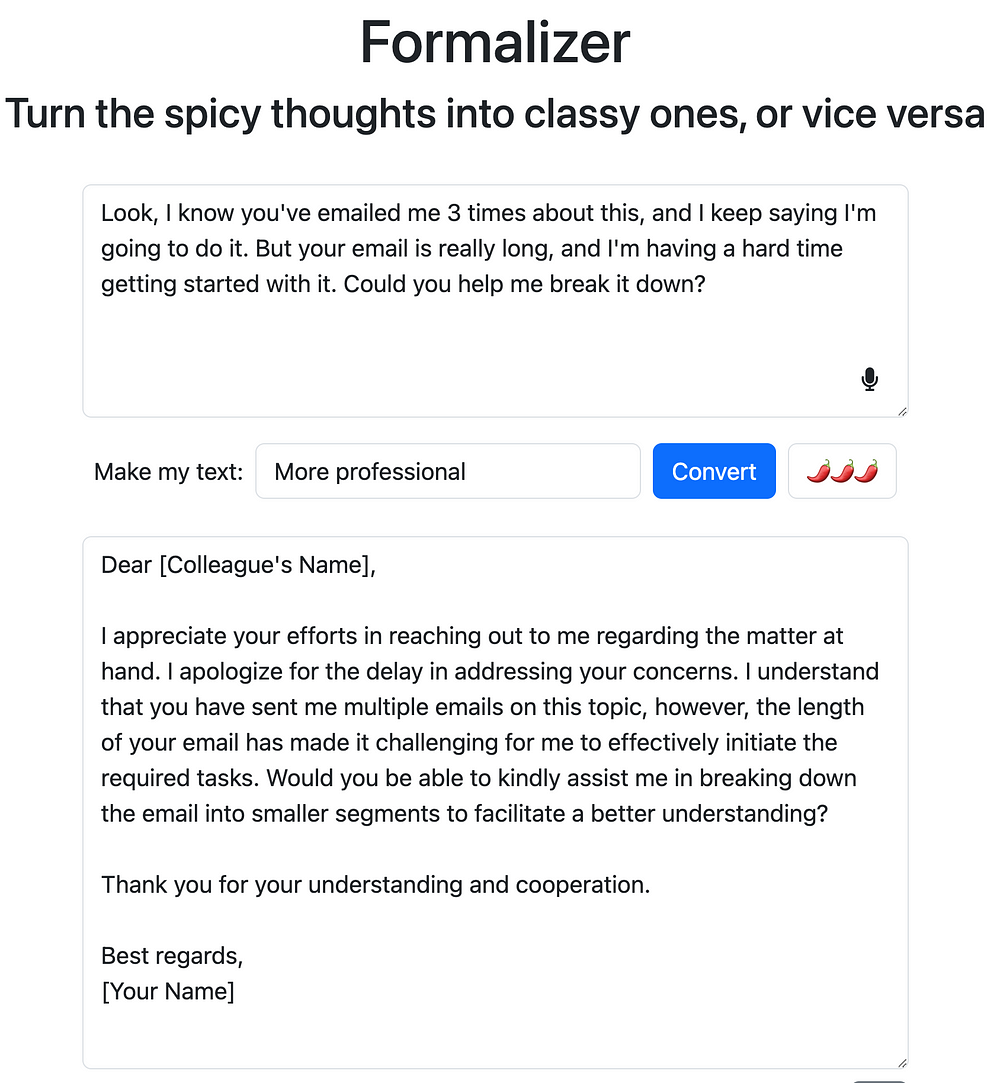
Formalizer is a tool to change the tone of something you’ve written. You might have received a text or an email where your initial reaction was not going to work. Or maybe you have a tendency to sound passive. Well, write in your voice and let Formalizer convert it to a tone that better fits the situation. There’s really only a handful of elements on the page. Input text, output text, and a couple of configuration options in between.
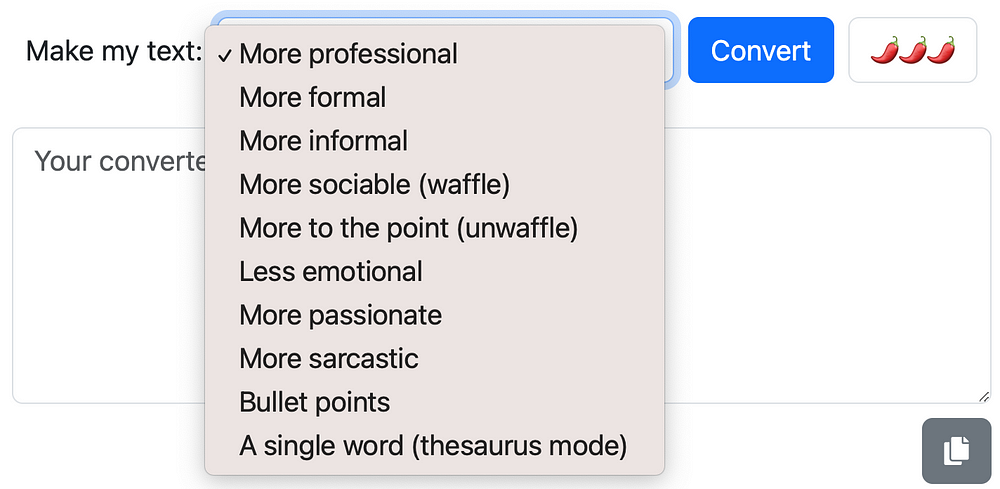
Maybe you’ve done this exact thing with ChatGPT. You’ve asked it to take something you’ve written and prompted it to change the tone to something else. So why complicate it?
These familiar UI elements, a dropdown and a slider, provide a clear interaction in a context where language is already difficult. You don’t have to provide the menu. You don’t have to build empathy for the recipient of your message, nor do you have to build empathy for the chatbot.
And a quick shoutout to the copy button at the bottom, a standard fixture even in the world of chatbots.
Rytr
Personally, I have used chatGPT to help me organize a stream of consciousness, and to expand on idea that I’m not ready to communicate. I’ve even had it write some dialogue for a book that I’ll probably never write. But I don’t love the copying and pasting to and from google docs. So I found Rytr.
Rytr has a very paired down text editor with basic formatting. But it has little entry points into the power of a large language model scattered throughout it’s UI.
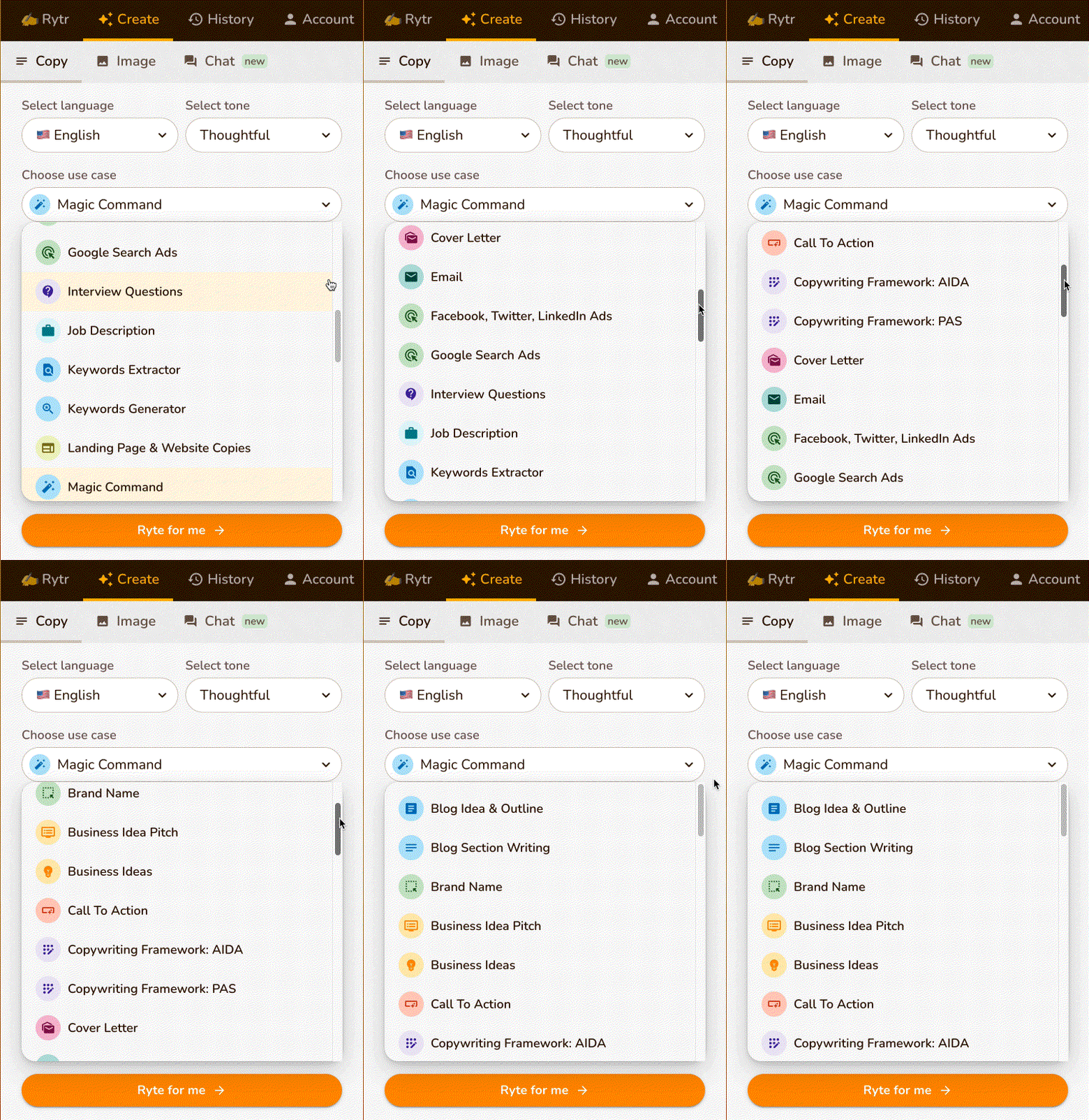
It starts with the sidebar. It has a whole host of use cases and tones to get you started. Then you enter a few more details about what you want written, and it writes those things for you.
If the content needs adjustments, you can select specific parts of the text and have Rytr make adjustments for you. There are pre-determined changes you can make to your text, or you can even enter your own prompt.
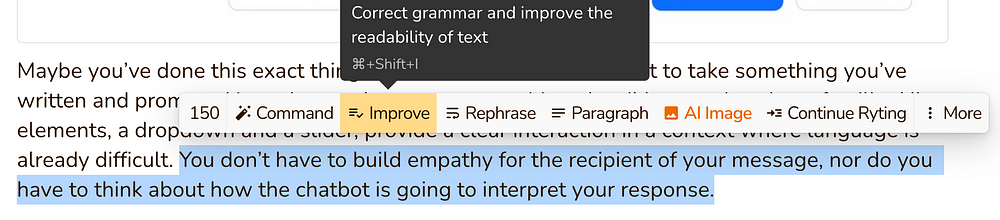
And this gives you flexibility in your workflow. If the blank canvas is intimidating, have it get you started. If your first draft flows out of you, but then you get stuck, the AI can provide suggestions on how to polish it.
These are just a couple examples of web applications built around generative AI. They utilize known interface elements, like drop-downs, sliders and text selections to keep things intuitive. Users don’t need to learn prompt engineering to utilize this new tool.
The chat window is here to stay. We’ve been directed to chat windows to solve support problems for years now. Microsoft is building chat into Office and even Windows.
But what about the people who want to use these new tools, who would see real value from using these tools, but they don’t know how to engage. They might be intimidated by the term “prompt engineering”. They may just feel like they don’t have time to learn a new skill. Chat as an interface is not always intuitive, and often intimidating.
If you’re a UX designer, product manager or application developer, keep an eye out for generative AI interfaces popping up. Think about how you can add them to your own offerings.